

"Which Company Are You Here For?"
A guest asks for a startup the new receptionist has never heard of, and the desk scrolls a WhatsApp group to find out who they belong to.
Community manager
Streamline Guest, Member and Vendor Management across Coworking Spaces with VizPass. Simplify Digital Check-ins, Per-Member WhatsApp Approvals, QR Visitor Passes, Meeting Room Visits and Emergency Evacuations while Maintaining Secure, Searchable Visitor Records Across Every Centre.
Companies already running their gates on VizPass










Coworking Spaces face unique challenges in managing Members' Guests, Clients, Interview Candidates, Vendors and Couriers, Emergency Evacuations while Maintaining Security and a Welcoming Front Desk.
The same four steps for a member's client, an interview candidate, a day-pass guest or a vendor — each on the VizPass mobile app.
The guest scans the lobby QR poster, or the community manager starts a walk-in: which member they are visiting and why.
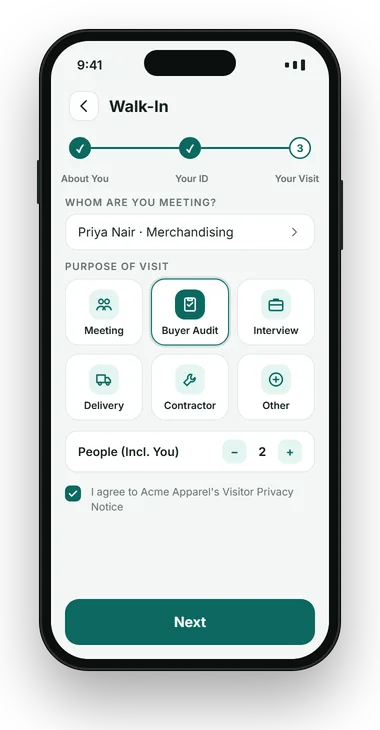
Only the member being visited gets the request, and approves or declines in the app, on WhatsApp or from a link.
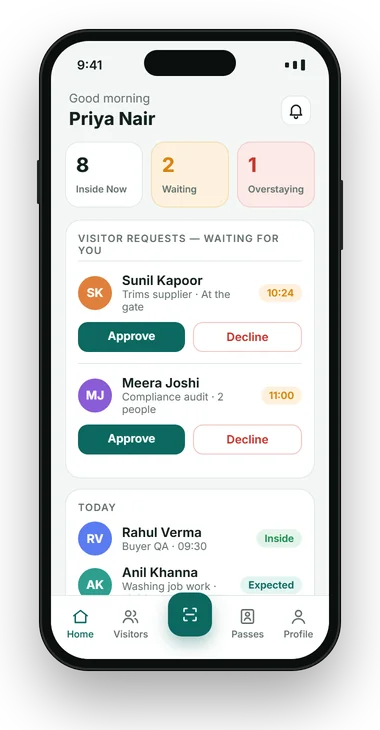
A pass with the guest's name, host, valid-till time and QR code, on their phone or printed at the desk.
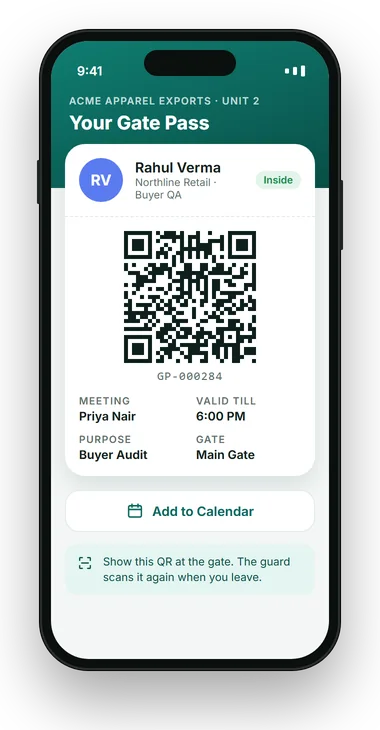
One scan at the desk or exit, and the guest list for the whole centre stays true for roll call.
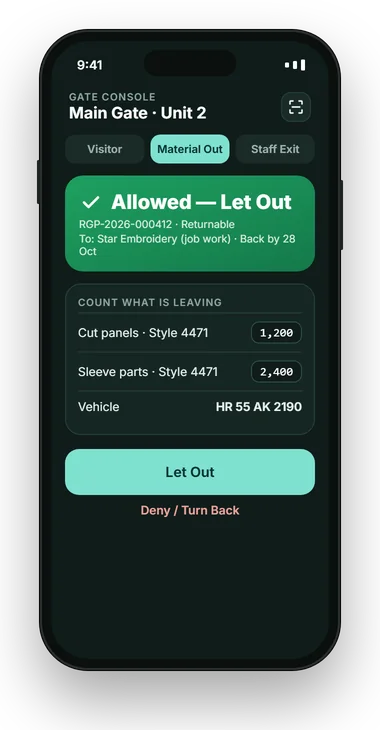
VizPass Visitor Management for Coworking Spaces is coworking front desk software built around one fact: a coworking centre has thirty employers at one desk. Every member is a host who approves their own guests on WhatsApp, the community manager runs photo-ID check-in and QR passes at the desk, and the centre keeps one searchable register across every member company — plus day passes, interview candidates, vendors and evacuation roll call.
A single 150-seat centre might host a design studio, a three-person legal team and a 40-person startup, each expecting their guests to be announced to them and no one else. The front desk ends up running WhatsApp groups, a paper register and guesswork at the same time, and nobody downstream — building security, the centre manager, an auditor — can reconstruct who was on the floor on a given afternoon.
Visitor management for coworking spaces is shaped by three things an ordinary office sees less of. Hosts change every few months as memberships turn over. The same lobby serves a lawyer's client, a startup's investor and a freelancer's collaborator within ten minutes. And the centre sells more than desks — day passes, trial days, events and meeting rooms all bring their own visitors.
Coworking centre security and visitor log keeping is therefore less about doors and more about routing: the right guest to the right member, a pass that expires on its own, and a register the centre manager can pull in one export.
None of these are security incidents on day one. They are front desk gaps that turn into unhappy members, lost parcels and a register nobody trusts.
A guest asks for a startup the new receptionist has never heard of, and the desk scrolls a WhatsApp group to find out who they belong to.
Community manager
Candidates for three different companies wait on the same sofa, and each hiring manager keeps asking the desk whether theirs has arrived.
Centre manager · Members
A member's client arrives for a meeting, only for the room to be held by another company that booked it on a separate sheet.
Members · Front desk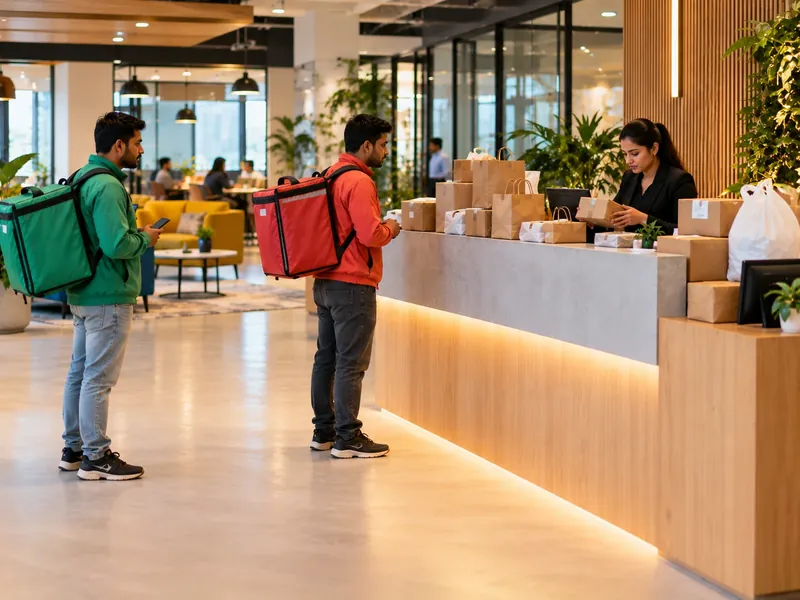
Couriers and food deliveries for every member arrive all day, and someone has to walk the floor to tell the right person.
Front desk
Eighty people arrive for a meetup in fifteen minutes, and the guest list is a printout nobody can match against who actually came in.
Community team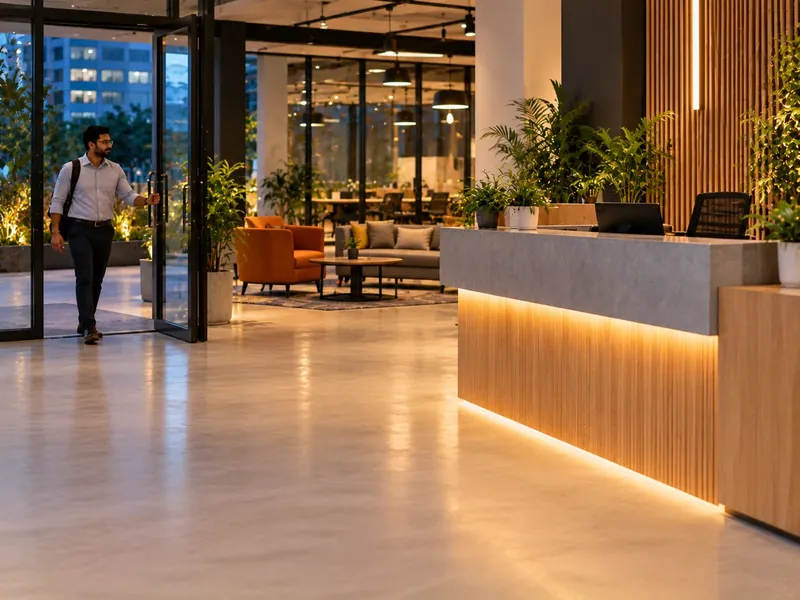
Members work late and guests still arrive after the community team has gone home, with no record of who came in.
Centre manager · Security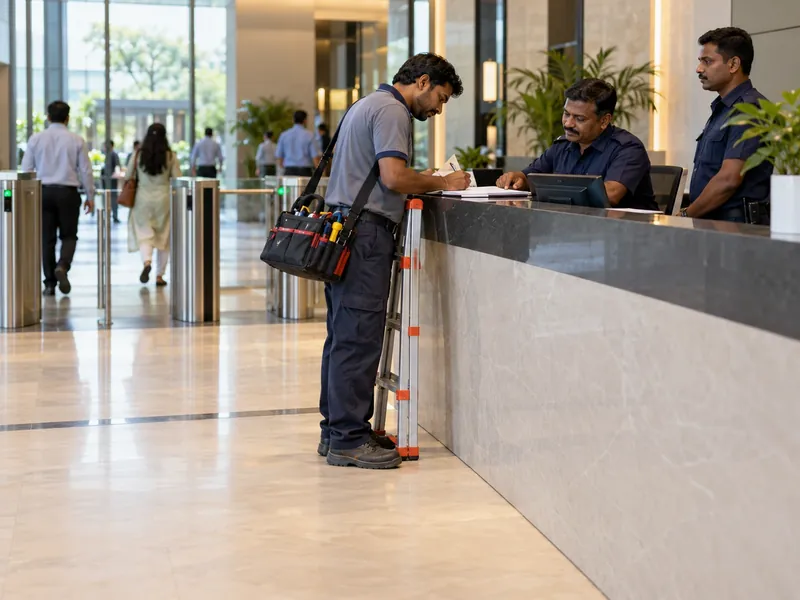
An AMC vendor or a cleaning crew from last quarter still walks in, because nobody closed their entry when the contract ended.
Facility manager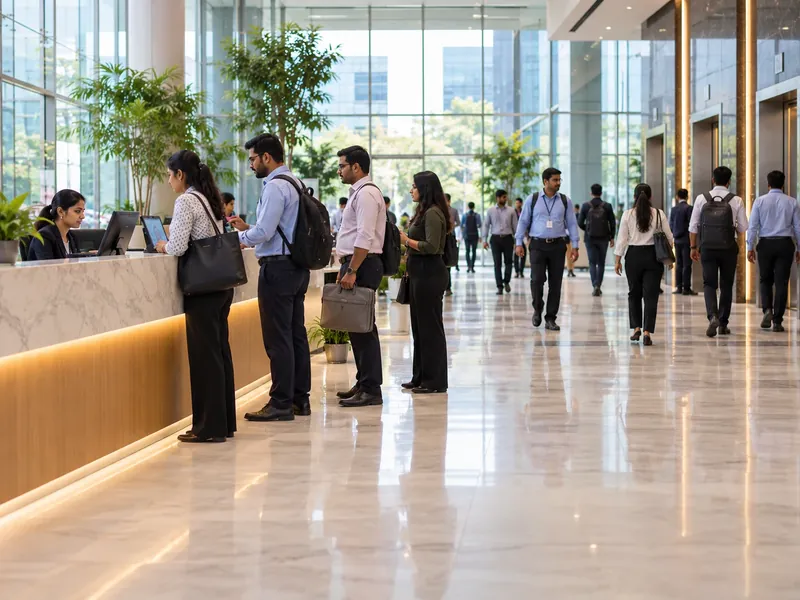
Every member's visitors arrive at once, and the single desk becomes the bottleneck for the whole centre.
Community managerVizPass works as a multi-tenant visitor check-in system for the operator: one account for the centre, with every member — not every company — a host in the register. The register moves from a book to the desk tablet, and every guest carries a photo, ID, the member who received them, and time in and out.
At a coworking front desk it covers:
Not every plan includes every item: WhatsApp approval, meeting rooms and roll call start on the Basic plan, and the courier desk is set up on an Enterprise plan rather than one of the four published plans.
Gates like yours
“VizPass has made our front desk operations much more organised. Visitor check-ins, courier entries and gate approvals are now handled digitally, which saves time and improves accountability.”
Gagan Mathur
 OM Sweets
“VizPass gives our operations team better control over daily gate activity. Material movement, employee exits and reports are now easier to track, approve and review.”
Sandeep Garg
Karan Latex Ltd
“VizPass made our front desk faster and more organised. Visitor check-ins, courier entries and approvals are now handled without paper registers.”
Harman S
Admin Head, Ferozepur College of Engineering
“The platform feels simple for reception staff and professional for guests. Pre-registration and instant host alerts have improved our daily visitor flow.”
Rekha Y
Operation Head, Orchid Petal Ltd
“QR check-ins and OTP verification made guest entry smooth and contactless. Our teams receive notifications on time, without follow-up calls.”
Nitish T
Operation Head, HRIT University
“We have much better control at the gate now. Our security team can verify visitors, track movement and maintain accurate digital records.”
Gaurav S
Facility Manager, MMMIPCollege of Pharmacy
“VizPass gives us clear reports for visitors, couriers and gate activity. It saves admin time and helps management review data quickly.”
Harish G
Plant Head, HPL Ltd
“VizPass has made our front desk operations much more organised. Visitor check-ins, courier entries and gate approvals are now handled digitally, which saves time and improves accountability.”
Gagan Mathur
OM Sweets
“VizPass gives our operations team better control over daily gate activity. Material movement, employee exits and reports are now easier to track, approve and review.”
Sandeep Garg
Karan Latex Ltd
“VizPass made our front desk faster and more organised. Visitor check-ins, courier entries and approvals are now handled without paper registers.”
Harman S
Admin Head, Ferozepur College of Engineering
“The platform feels simple for reception staff and professional for guests. Pre-registration and instant host alerts have improved our daily visitor flow.”
Rekha Y
Operation Head, Orchid Petal Ltd
“QR check-ins and OTP verification made guest entry smooth and contactless. Our teams receive notifications on time, without follow-up calls.”
Nitish T
Operation Head, HRIT University
“We have much better control at the gate now. Our security team can verify visitors, track movement and maintain accurate digital records.”
Gaurav S
Facility Manager, MMMIPCollege of Pharmacy
“VizPass gives us clear reports for visitors, couriers and gate activity. It saves admin time and helps management review data quickly.”
Harish G
Plant Head, HPL Ltd
See How VizPass Handles These Challenges
An on-site demo across Delhi NCR, or a live video demo pointed at your front desk anywhere in India.
Six situations every coworking front desk meets, and what happens with VizPass in place.
Every member is a host in the register. The desk picks the member, and the approval goes only to them — no shared inbox, and no other company sees the request.
The right member, every timeCandidates and day-pass guests are visitors with a validity. The hiring member approves on WhatsApp, and the pass stops working when its validity lapses.
Passes that expire on their ownA room picked for a visit is booked in the room diary, and a clashing booking is refused, so a member's client is not walked into a room already taken.
The room is free when they arriveEach parcel is logged at the desk and the member is told it has arrived, without the rider going through a full visitor check-in. Set up on an Enterprise plan.
No more walking the floorA QR poster in the lobby lets guests check themselves in on their own phone, with optional OTP, and still produces the same pass and member approval.
The desk stops being the bottleneckEach centre is a site on one account, with its own desk and hosts. Desk staff can be limited to their own centre, and a person blocked at one centre is refused at every centre.
One register across the portfolioThe same guest record, set up for how each kind of coworking space runs its front desk.

Hundreds of members, a café, event space and several floors — with one register across every member company and a QR poster for peak hours.
Digital check-inSmall teams with their own cabins and their own clients, each team member a host who approves their own guests.
Visitor passes

One community manager doing everything, where a guest who checks themselves in from a QR poster frees the desk for members.
Digital check-inA whole floor for one client company, often with its own visitor rules. If the client wants a fully separate register, it can run its own account.
One policy across sites
Four situations every coworking centre meets, step by step.

A guest asking for a member the desk has never met — on the Basic plan and above.
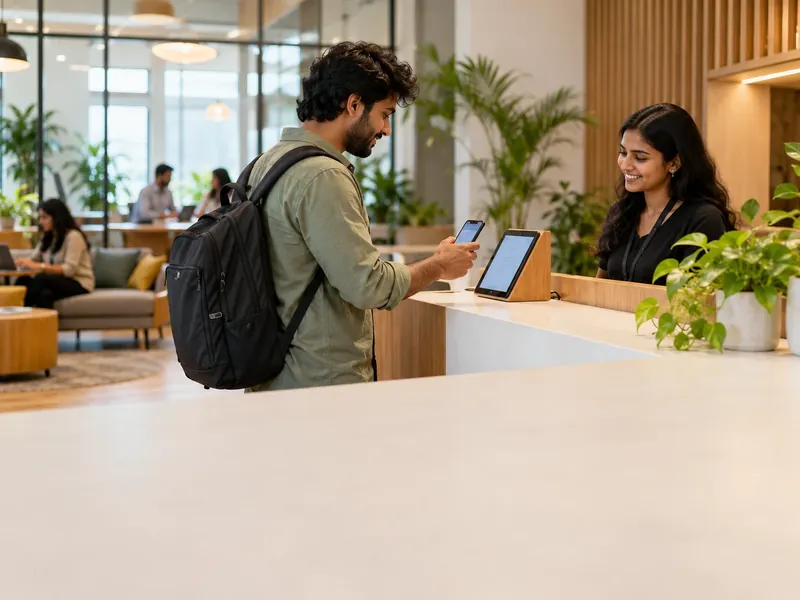
Every member's guests at once, one community manager.
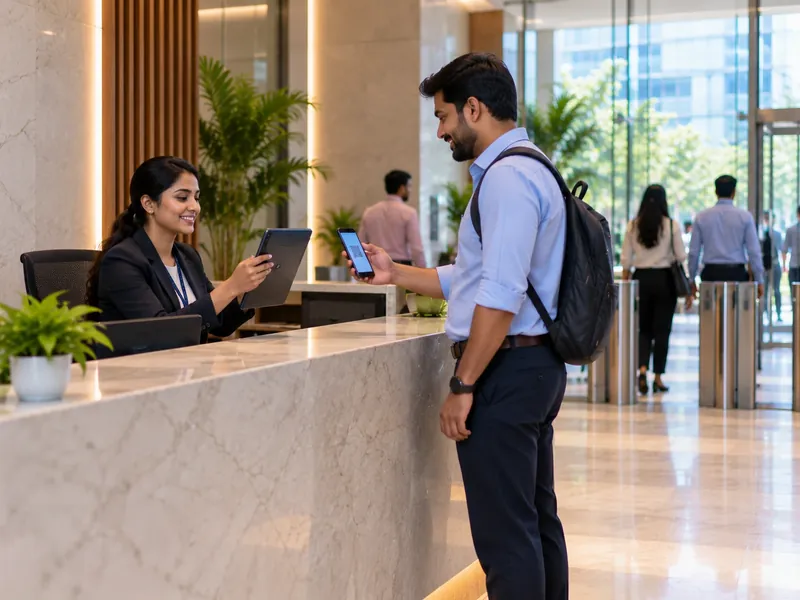
A member's client, invited the day before — on the Basic plan and above.

On the Basic plan and above. It covers everyone checked in at the desk — guests, candidates, day-pass visitors and vendors.
We do not quote percentages we have not measured. During a trial, measure four things: guest waiting time at the desk, visits with no exit scan, meeting-room clashes, and how long a "who was here that afternoon" question takes to answer.
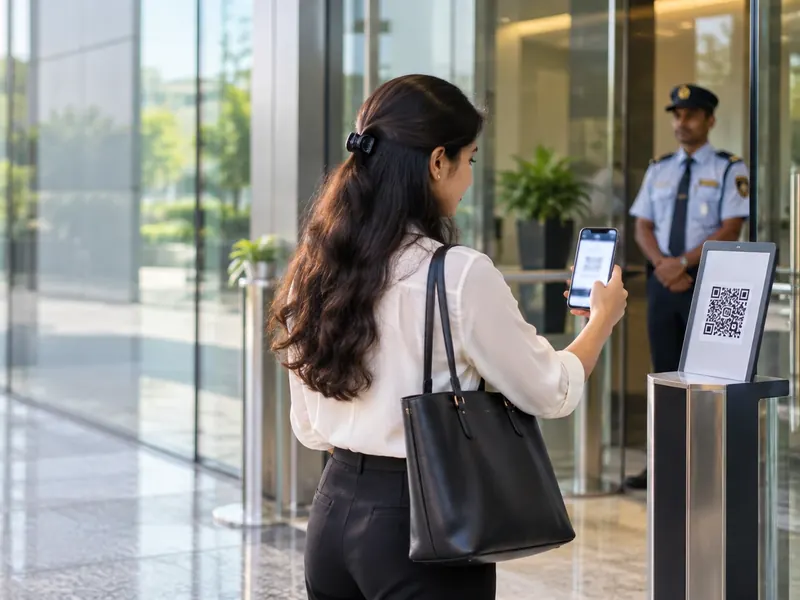
Guests who check themselves in, members told the moment their guest arrives, and a desk free to look after people. For the community manager.
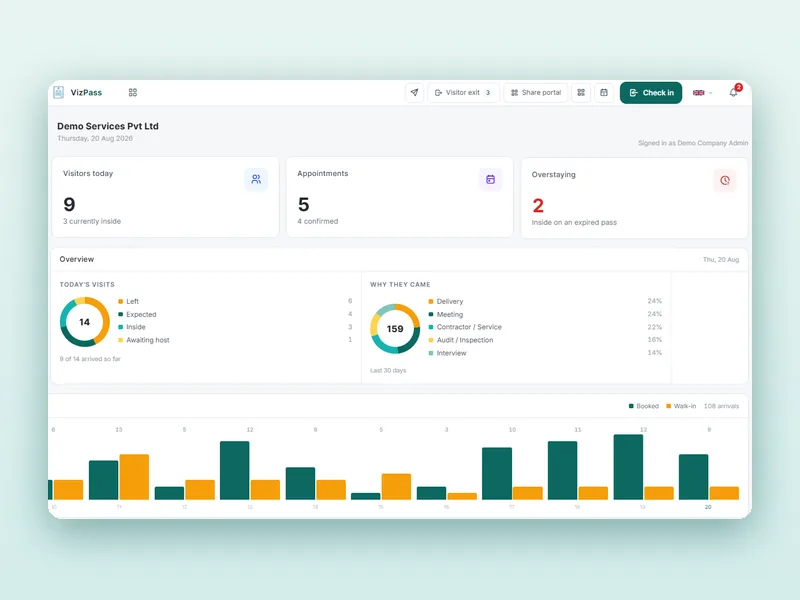
Who came, which member approved them and when they left — searchable and exportable for any afternoon. For the centre manager and building security.
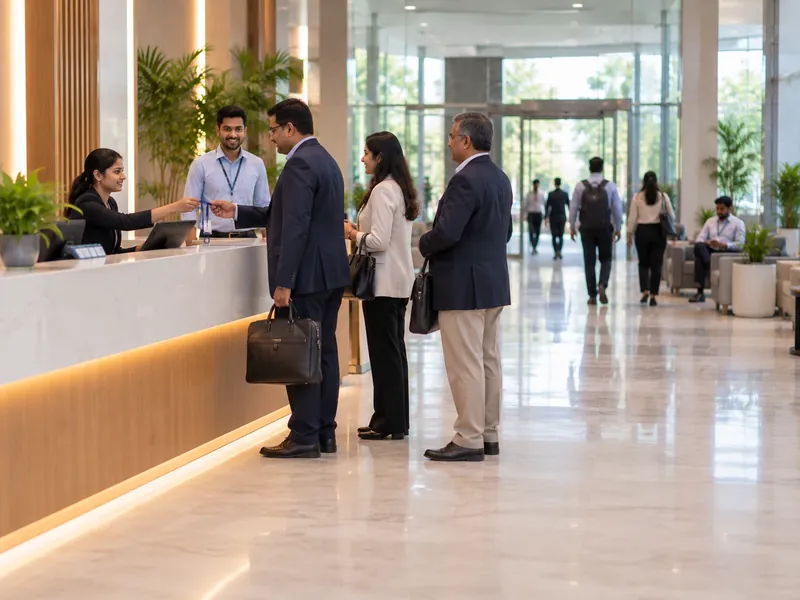
Pre-registered clients, a room that is free when they arrive, and no waiting at the desk. For members, and for renewals.
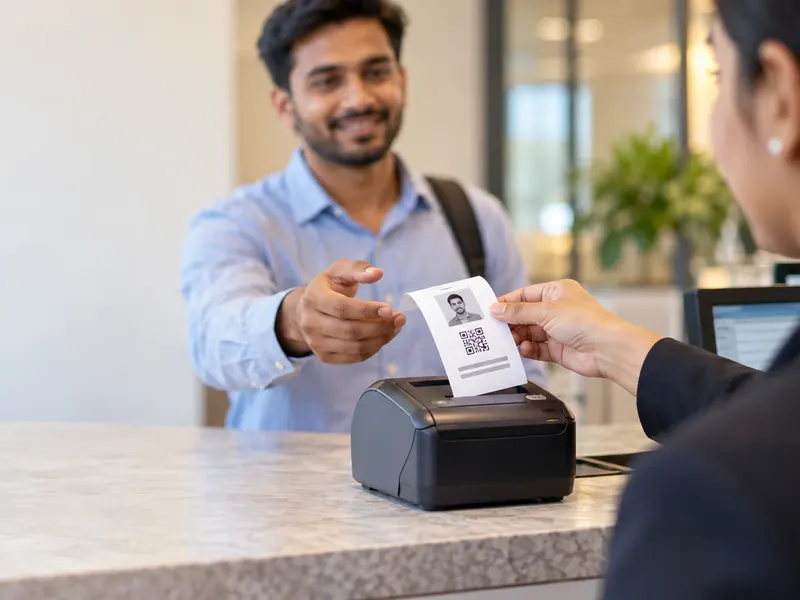
Day passes, candidates and vendors on passes with a validity, closed by the exit scan, so no one shows as inside three days later. For security.
| What matters | Register and WhatsApp groups | AVizPass |
|---|---|---|
| A guest for a member the desk has never met | Scroll the group, ask around | Pick the member; only they get the request |
| A day-pass guest who has left | Still "in" until someone remembers | Pass stops working when its validity lapses |
| Meeting room for a member's client | A shared sheet, double bookings | Booked with the visit; clashes refused |
| Who was on the floor last Thursday | A register and three phones | One export across every member |
| Fire alarm | A list nobody signed out of | Live list of guests inside, marked safe |
| Cost | Register books and desk time | From ₹4,999/month with WhatsApp, meeting rooms and roll call |
A register and a WhatsApp group can hold up at a ten-desk space. Once dozens of member companies, day passes and events share one desk, the gap between the register and who was really in the building is where member complaints and security questions start.
Whichever system you shortlist, check five things in the demo: does each member approve only their own guests, do day passes expire on their own, can guests check themselves in at peak hours, can several centres share one account, and does the vendor publish its prices. Where VizPass stands:
A vendor or cleaning contractor gets a new pass for each visit, closed by the exit scan. VizPass does not track contract end dates or check inductions; when a contract ends, block the individual workers so no new pass is issued to them.
Guests who register on the gate app or through the self-registration link see your privacy notice and agree to it before their photo and ID are taken, and that agreement is recorded on the pass. A wrong entry is reversed with a reason rather than silently deleted. That gives you a record of notice and consent; how long you keep it and your wider duties under the DPDP Rules 2025 stay with you and your legal adviser, using guidance such as MeitY's.
Your centres, members, rooms and events.
On-site in Delhi NCR, or on video.
Start with walk-in guests.
Members, rooms and the QR poster set up.
More centres, one account.
If members do not expect the WhatsApp request, their first guests wait at the desk while the host ignores an unfamiliar message.
Memberships turn over every few months. Add and remove members as they join and leave, or approvals go to people who have moved out.
Keeping a separate room sheet alongside VizPass brings back the double bookings the visit booking was meant to stop.
Put the self check-in poster up before the first big event, so eighty guests do not queue at one tablet.
Published pricing
One Flat Price a Month — No Per-User Charges
Prices exclude GST. Start with a free 7-day trial on the Basic plan, no card needed. See what each plan includes →
Whoever runs the front desk sees every visitor checked in, across every member company, as one chronological log — while each member still sees only their own guests. The approval request goes straight to the member being visited, never to a shared inbox. That one log is what a centre manager or building security pulls up to work out who was on the floor at a given time.
VizPass prints the visitor pass in seven sizes, so the centre can pick whichever fits its printer, lanyard or clip setup. Each pass carries a QR code generated at check-in, which security can check even when a guest's phone is flat. Because the pass is per visit, not per member company, the same badge stock works for every member's guests.
A guest is checked out by scanning their pass again, which closes that visit whichever member they came to see. The QR code carries the visit record, so it works the same at the shared lobby desk or a side exit, and the desk does not need to know who the guest saw. A guest who leaves without a scan stays open on the log rather than disappearing.
Yes. A member pre-registers their guest so the name is on file, and the guest can add company, address and ID number from the invitation link before reaching the desk; the photo and ID picture are taken at the desk. If your setting for pre-booked visits asks for approval on arrival, the request goes to that member, not a shared inbox.
Yes, on the Basic plan and above. Every member is a host in the register, so when their guest checks in, only that member gets the request and approves or declines on WhatsApp, in the app or from a link. Members never see guests meant for another company. Host approval is one setting for the whole account, not per centre or per floor.
As visitors with a validity. A day-pass guest gets a QR pass valid for that date, and it stops working once the validity lapses, without anyone revoking it. An interview candidate is checked in and approved by the hiring member like any other guest. VizPass does not handle billing for paid day passes; it records who physically came in.
Yes. A QR poster in the lobby lets a guest check in on their own phone, choosing the member they are visiting and, where the centre switches those fields on, adding photo and ID, with optional OTP verification of the phone number. The member still approves as usual and the guest gets the same pass, so self check-in changes who does the typing, not what is recorded.
Yes, through the courier desk: each parcel or food delivery is logged at the desk and the member is told it has arrived, without the rider going through a full visitor check-in. When the member collects it, the desk records the hand-over. The courier desk is set up on an Enterprise plan rather than one of the four published plans.
No. VizPass does not book desks, bill members or control doors, and it does not integrate with turnstiles or smart locks today. It is the visitor register and front desk: who came in, which member let them in, and when they left. A meeting room picked for a visit is booked in its room diary. Centres run their coworking platform alongside it for space and billing.
Yes. Each centre is a site on one account, with its own desk and host list. Desk staff can be limited to their own centre, and a member at one centre sees only their own guests. A person blocked at one centre is refused at every centre on the account, and the centre manager can export one register across all of them.
Plans are a flat monthly price per company with no per-user charges, GST extra: ₹1,499 Single Gate (a plain register for one gate), ₹4,999 Basic, ₹9,999 Front Desk and ₹14,999 Gate Control, with a 7-day free trial on the Basic plan. WhatsApp approval, meeting rooms and roll call start on Basic; the courier desk is on an Enterprise plan. No hardware purchase is needed.
Use the form at the end of this page, the demo button at the top, or WhatsApp. Tell us how many centres and members you run and what you want to solve first, and we call within one working day. The demo runs on-site across Delhi NCR, or on a video call pointed at your live front desk anywhere in India.
Further reading
Discuss Your Centre's Front Desk and Guest Requirements
Tell us about your centre and what you want to solve first. We call within one working day and show the workflows that matter to you — on-site across Delhi NCR, or on a video call at your front desk anywhere in India.
Free for 7 days. Add a gate, invite your hosts, and check your first visitor in this afternoon.