
Visitor and Vendor Management for Commercial Buildings and Hotels
VizPass brings commercial building visitor management together with hotel back-of-house vendor control, sending each visitor's approval request to the right host via WhatsApp while security runs a single, searchable check-in register at the gate. Photo and ID capture, QR passes, pass end times, and material-out approvals give every tenant and hotel department a verifiable record of who entered and why.
A commercial building lobby sees more strangers in a day than most factories — except here nobody owns the problem. The building's security desk isn't sure which of the fifteen tenant companies a visitor is calling on, tenants don't know who signed their guest in, and a hotel's service gate has vendors, banquet decorators and delivery trucks moving all day with no record anyone can pull up when something goes missing. The result is a logbook nobody trusts and a "who let this person in" conversation nobody can answer with facts.
One Lobby, Many Tenants — One Register
In a multi-tenant building, the building's own security staff runs check-in, but the person being visited works for a company that isn't the building owner. That mismatch is where most gate registers fall apart — the guard writes down a name and a floor number, and three months later nobody can say which tenant's staff actually approved that visit.
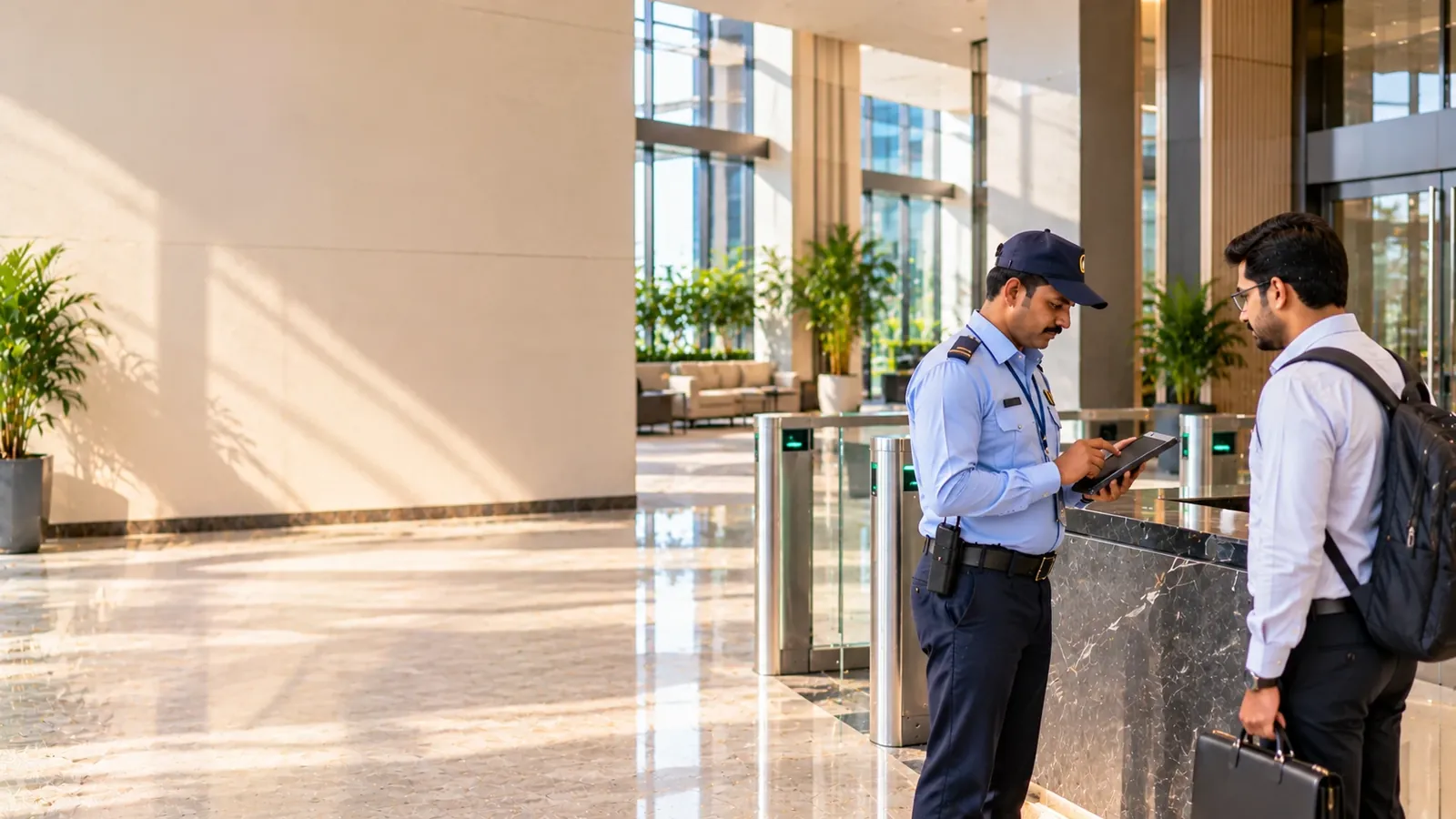
VizPass fixes this by tying every visit to a named host, and to a workplace set up for that tenant, not just to the building. When a visitor arrives, security captures a photo and reads an ID at the gate, picks the host from the list, and sends the approval request straight to that host's WhatsApp. The host — sitting in a tenant office on the eighth floor — approves or declines from their phone, and only then does the gate print a pass. Every entry in the register carries the host and the workplace against it, so if a tenant's compliance team ever asks "who visited us in March," the answer is a search, not a memory exercise.
- Security runs the check-in desk; approval sits with the tenant's own staff, not the building
- The register is searchable and exportable by workplace, by date, by host — useful when a tenant asks for its own visitor history separately from the building's
- Passes print in seven sizes, so a building running a single-lane lobby and one running a wider commercial entrance can both use a format that fits their printer and their pace of footfall
The Gate Itself: Photo, Approval, Pass, Exit
The mechanics are the same whether it's a 200-tenant commercial tower or a boutique building with six floors. A visitor's photo and ID are captured at the point of entry. The system pushes a WhatsApp approval to the host before anyone is waved through. Once approved, a QR-coded pass prints, and the visitor carries that pass until they leave — at which point scanning it at the out-gate closes the record. If a visitor exits without being scanned, they stay on the On Site list as still inside and are flagged once their pass end time passes, so the gap shows up in the register rather than disappearing quietly.
This matters more in commercial buildings than it sounds, because these lobbies rarely have a single entry point — deliveries come through a side gate, tenant staff use a different lift bank, and a visitor who entered through the front desk might leave through a loading bay. VizPass doesn't manage lifts, turnstiles or barriers themselves — those stay under the building's existing systems — but it gives you a clean, closed record of every pass issued and every pass returned, regardless of which physical gate it moved through, as long as that gate has a scan point.
Contractors, AMC Vendors and Material Leaving the Building
A commercial building runs on AMC contracts — HVAC servicing, fire system checks, pantry maintenance, lift AMC, housekeeping contract staff — each with their own validity window and, often, their own induction requirement before they're allowed past the lobby. VizPass does not hold AMC end dates or induction records, so it cannot check them at the gate. What it can do is stop a named person: block the individual whose AMC ran out last month, or whose safety induction has lapsed, and the gate cannot issue them a pass until an admin unblocks them.
Material movement is the other half of this. Furniture going out for repair, e-waste being cleared, IT equipment being replaced — none of it should leave without someone signing off first. VizPass requires an approval before the gate releases a material pass, and the register keeps a record of what left, when, and who approved it. For a building housing dozens of tenants who each have their own asset movement, this is the difference between a security desk that can answer "what went out on Tuesday" and one that can't.
- Contractor and AMC vendor staff get a pass per visit; AMC and induction dates stay in your own records, and a named individual can be blocked
- Material out — equipment, furniture, e-waste — needs approval before the gate lets it go
- Vehicle numbers are logged for delivery and service vehicles using the same gate
- A courier log keeps parcel and courier traffic separate from visitor traffic, so the register isn't cluttered with deliveries when you're searching for a person
Hotels: What Happens Behind the Service Gate
This is worth being precise about, because a hotel's front-of-house and back-of-house are entirely different problems. VizPass has nothing to do with your guests — it doesn't replace your property-management system, it doesn't touch guest check-in, key cards or CCTV, and it isn't meant to. What it manages is everyone who comes through the service gate who isn't a guest: banquet decorators setting up for a wedding, event crews running lights and sound for a conference, AMC vendors servicing kitchen equipment, contractors doing repair work, and delivery vehicles bringing in supplies.
Each of these gets a pass for that visit only, covering one entry and one exit, the same way a commercial building's contractors do, and the visit can be tagged to an area — a kitchen, a back corridor, a guest floor — though VizPass does not track escorts or zone clearance. A decorator's crew for a Saturday banquet doesn't need standing access for the following month, and because each pass closes at the exit scan and cannot be reused, they don't get it by default. The service-gate register works the same as any other VizPass register: searchable, exportable, and closed out properly when a vehicle or crew member leaves.
- Vendors, contractors, event crews and decorators get one pass per visit, closed at the exit scan, not open-ended access
- Visits can be tagged to an area or sub-location; escorts stay with the property's own procedure
- Delivery vehicles through the service gate are logged by vehicle number
- Guest-facing systems — PMS, check-in, key cards, CCTV — stay exactly as they are; this only covers who else is on the property
Roll Call and Watchlist, Without Guesswork
Both a commercial tower and a hotel back-of-house have the same evacuation problem: at the moment an alarm goes off, security needs to know who's on site who isn't staff — which contractors, which vendors, which decorators — and that list has to come from the gate register, live, not from someone's memory of who they waved in that morning. When an evacuation is raised, VizPass alerts every visitor inside, their hosts and the gate team and runs a mark-safe roll call from the same list the gate has been building all day; a block refuses a pass at check-in to anyone on the watchlist, matched by mobile number.
The Register, and What It Doesn't Pretend to Be
Visitors who register on the gate app or through the self-registration link see your privacy notice and agree to it before their photo and ID are taken, and that agreement is recorded on the pass — worth having in place given how personal data handling is increasingly scrutinised; the Ministry of Electronics & IT publishes guidance worth being familiar with if you're the one deciding what a gate register collects and how long it's kept. When an entry needs correcting — a wrong host selected, a mistaken approval — VizPass reverses it with a reason rather than deleting it, so the register stays an honest record of what actually happened at the gate, corrections included.
What VizPass will not do is control your lifts, turnstiles or barriers, and for a hotel, it will not touch anything guest-facing. It's built for the register, the approval, and the pass — the part of gate management that a spreadsheet or a paper book handles badly once a building has more than a handful of tenants or a hotel has more than one event running at a time. If you want to see how it maps onto a lobby or service gate the size of yours, the features list covers the full set, pricing is a flat monthly price per company rather than per gate, and a walkthrough is the fastest way to see the WhatsApp approval and pass printing on an actual phone rather than in a description. Other property types we work with are on the industries page, alongside the use-cases that go into specific scenarios like contractor entry or material gate-pass approval in more depth.
Visitor and Vendor Management for Commercial Buildings and Hotels FAQs
How Does VizPass Handle Vendor and Delivery Entries at a Hotel's Service Gate, Separate from Guest Check-In?
Vendors and delivery staff at a hotel's service gate go through the same check-in mechanics as any other visitor — photo capture and ID scan — and the approval routes to the staff member they're calling on in housekeeping, banquets, or F&B. Security picks that staff member from the host list at the gate, and that person approves the entry from their phone, the same way a host approves a building visitor. This keeps a banquet decorator setting up for an event, a laundry contractor's van, and a food delivery rider on a distinct log from hotel guests staying in rooms, so if a security head needs to check who came in through the back gate on a given day, they're not sifting through guest arrival records to find it. Because every entry still carries a photo, an ID reference, and the approving host against it, the visits-by-department report shows each department's vendor traffic to anyone you give report access, and each host sees their own visitors. The same setup extends across industries beyond hotels, including factories that route contractor entries to a specific supervisor rather than a general security log.
Can Each Tenant in a Shared Commercial Building See Only Their Own Visitor Records, Not Other Tenants' Data?
Not as a separate tenant view — VizPass has no multi-tenant building mode in which each tenant sees only its own visitors inside one account. What it does offer: each host sees only their own visitors, and staff can be limited to their own workplace, so if each tenant's floors are set up as a workplace, a person tied to that workplace sees only the visits recorded there. That visibility follows the workplace or gate a visit was recorded at, not the host's company, so it depends on security tagging each visit to the right workplace at check-in. Building management keeps its own full view across all tenants for lobby oversight. A tenant that needs a register nobody else in the building can see would need its own VizPass account. Details on how access permissions are structured are covered under features.
How Do I Blacklist a Visitor so No Tenant in the Building Can Approve Their Entry Again?
A Security Head or Company Admin blocks the person with a recorded reason, and the block is matched by their mobile number. From then on the gate refuses to check them in on every screen and app in the building's account — even on a visit already booked — regardless of which tenant or host they claim to be visiting, and the public self check-in accepts nothing from that number. It is a hard block until someone with the same rights unblocks it. This differs from a paper logbook, where a note written against one tenant's page doesn't help the guard handling a different floor's entry weeks later — the block here is tied to the person's number, not to a single tenant's records. Two limits are worth knowing: someone who gives a different mobile number is not caught, because VizPass does not match names, ID numbers or photos, and refused attempts are not logged or alerted. A building's security head can raise a block based on an incident reported by any tenant. If a walkthrough would help show how this is configured for a specific site, it can be arranged through contact.
Can a Host Pre-Register an Expected Visitor or Vendor Before They Arrive at the Gate?
Yes, a host can add an expected visitor or vendor to the system ahead of time, so the host, workplace and purpose of visit are already on record before the person reaches the gate. This works through the same fields used at walk-in check-in — the host fills in the visitor's name and reason for visit in advance instead of security capturing it fresh at arrival. When the person shows up, security still takes a photo and reads their ID as usual, but the host and workplace are already matched from the pre-registered entry rather than being selected manually from a list. Whether the host is asked again on arrival depends on your company-wide setting for pre-booked visits (no further approval, or approve on arrival); pre-registration never skips check-in at the gate — it just means the details are already filled in when the visitor arrives. This is useful for scheduled vendor visits, like a contractor coming for planned maintenance, where the department already knows who's expected and can register them without waiting for the visitor to appear at the gate. More on how visitor pre-registration fits alongside walk-in check-in is covered on the features page.
Is the Visitor and Vendor ID Data Captured at the Gate Handled in Line with India's Data Protection Expectations?
Visitor and vendor data captured at the gate — a photo and an ID reference — is stored against the specific entry, workplace, and host, and access to it follows roles — hosts see only their own visitors, staff can be limited to their own workplace, and reports and exports follow the roles you set — rather than being open to every tenant sharing the building. This scoped access is the main control at the point of data handling: nobody without the right role can pull a record just because they also operate out of the same lobby, though VizPass has no separate tenant mode inside one account. For guidance on how personal data like ID details and photographs should be handled in India, the Ministry of Electronics & IT publishes rules and advisories that building administrators can refer to when setting their own data retention and access policies. VizPass doesn't set retention periods on a client's behalf — how long records are kept, and who beyond the security desk can access them, is a policy decision each building or company sets for itself. What the system does control is that access follows the host and the workplace a visit was recorded at, not a tenant structure, and it offers a retention purge, off by default, that a Company Admin can switch on.
Does the Contractor Entry Log at a Factory Gate Hold Up for Safety Audits and Compliance Checks?
A factory's contractor and visitor log holds up for safety audits because each entry carries a photo, an ID reference, the host or supervisor who approved it, and a timestamp — the same core record an auditor would ask a paper register to produce, except it doesn't rely on legible handwriting or a logbook physically being on-site. Contractors are checked in the same way as any other visitor: ID scan, photo, and a supervisor selected from a list who approves entry from their phone rather than signing a paper register at the gate. For the specific safety record-keeping expectations that apply to factories in India, DGFASLI sets out requirements around visitor and contractor documentation that a factory's EHS team can check its own register against. VizPass doesn't certify compliance on a factory's behalf — it produces the entry-level record that a safety officer would need to demonstrate who was on-site and who approved them, which is the part a manual register often can't reliably provide once entries stretch back several months. Whether that record satisfies a specific audit depends on the factory's own documented safety procedures alongside it.
Rolling It Out Without Freezing the Lobby
A multi-tenant building can't afford a week where the front desk is confused and tenants are complaining about slow entry. The practical way in is to run the gate live for one or two tenant floors first — usually the ones with the most walk-in traffic — while the rest of the building still uses the paper register. Print the QR pass in a size that suits your counter (VizPass supports seven), keep a laminated card at the desk showing security which hosts belong to which tenant, and only switch every floor over once the host-approval flow on WhatsApp is something the guards do without thinking. Trying to onboard fifteen tenants on day one is the most common way these rollouts stall.
Mistakes That Make Tenants Stop Trusting the Register
- Letting security type or guess the host instead of picking the host from the list — this is how a visitor for Tenant A ends up logged against Tenant B
- Not blocking a contractor's or AMC vendor's staff when their AMC ends or their induction lapses — VizPass cannot see those dates, so a block is the only thing that stops the gate issuing them a new pass
- Deleting or overwriting a wrong entry instead of using a reversal with a reason — the moment a register can be edited silently, it stops being evidence for anyone, including your own compliance team
- Skipping the privacy notice because "it's just a delivery boy" — check-ins on the website's desk screens record no consent, so use the gate app or self-registration where you want agreement recorded on the pass
What to Actually Track Once It's Live
Don't measure this by how many passes get printed — measure whether the register answers questions under pressure. After thirty days, check: can the front desk pull every visitor logged against a specific tenant for a given week in under a minute? Is everyone whose AMC has ended or whose induction has lapsed actually blocked, so the gate cannot issue them a new pass? When you run a mock evacuation, does the live list actually match who's on the premises, including vendors and event crews who came in through the service gate? These three checks tell you more than a usage count ever will.
Where This Does Not Reach
VizPass runs the gate and the register — it is not a replacement for a hotel's property-management system, guest check-in, key cards or CCTV, and it does not control lifts, turnstiles or barriers. A hotel's guests are never in this system; it's built for the back of house — vendors, contractors, banquet decorators, event crews and delivery vehicles moving through the service entrance. If your building already runs turnstiles or lift access control, VizPass sits alongside that hardware and keeps the paper trail; it doesn't replace the access decision those systems make. Knowing that boundary before you sign off on a rollout saves an awkward conversation with your IT or security integrator later.
Before You Commit
Read through /features against your building's actual gate count and tenant list, look at /use-cases for how other campuses split check-in responsibility, and check /pricing — each plan is a flat monthly price per company, not per gate, and material passes need the Gate Control plan. If your visitor data handling needs to be reviewed against India's evolving personal-data rules, the Ministry of Electronics & IT is the primary reference point. A short call before rollout, booked through /contact, usually surfaces which floors or gates need special handling before you find out the hard way.
Further reading
- Facility management — Wikipedia
- Physical security — Wikipedia
- Smart Access Management — Pitney Bowes
- Smart building solutions — Deloitte