
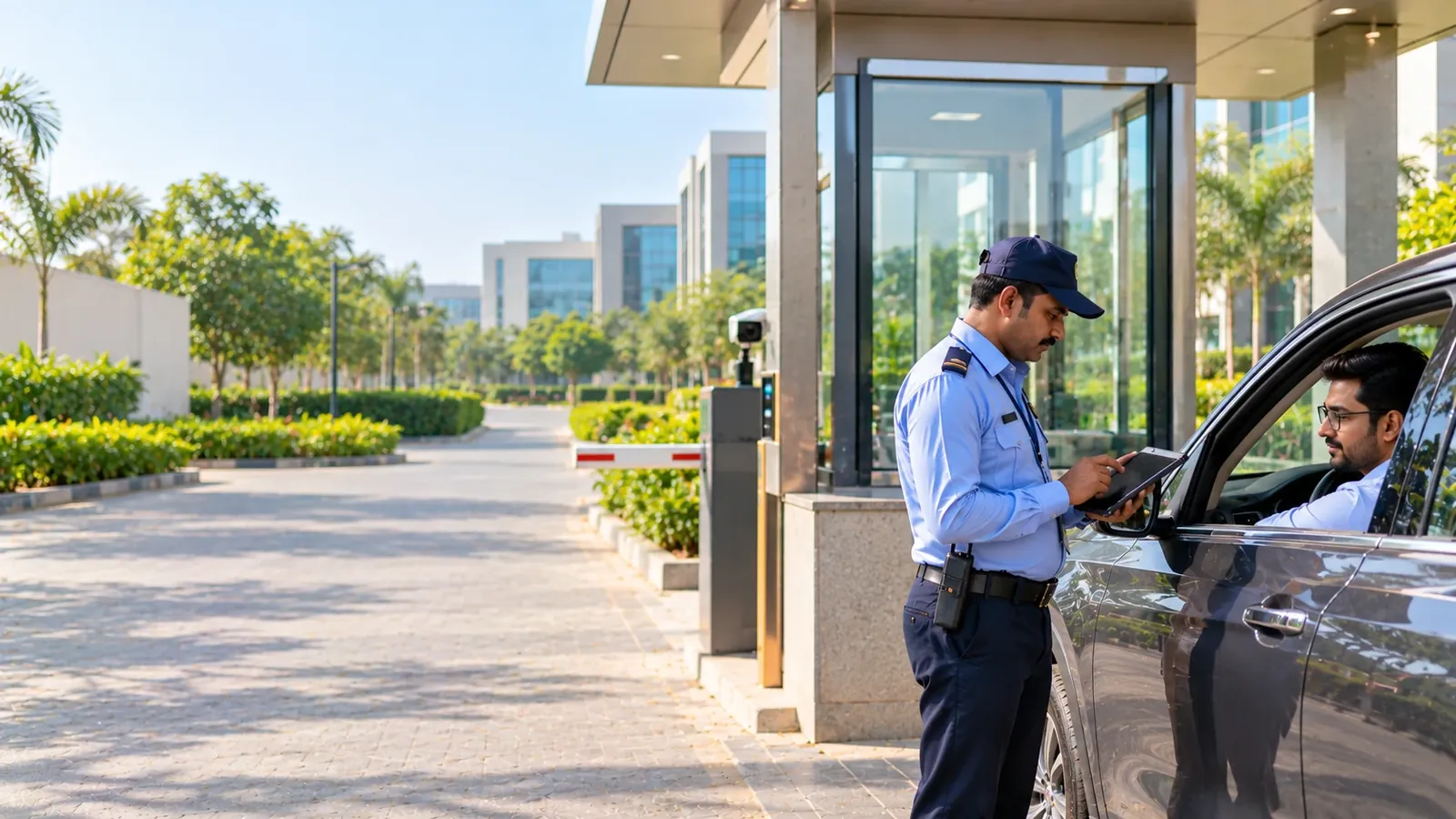
Visitor Management for Gated Commercial Campuses
VizPass gives commercial campuses one visitor register across shared entry points, with each visit tagged to its building or area, host approval, evacuation alerts with a roll call, and material passes for the companies using the same gates.
Visitor traffic on a gated commercial campus is a constant juggling act: multiple tenant companies need separate access controls, yet all share the same entry points, and any emergency demands a rapid, campus‑wide roll call. Without one register that tags each visit to the right building while giving a unified view of who is on site, security teams waste time reconciling logs, approvals get lost, and evacuation drills become chaotic.
Each Tenant's Visits Tagged to Its Own Workplace
Each tenant's building or floor can be set up as a workplace in one campus account, with areas and sub-locations under it, and every visit is tagged to the workplace it is for. Approval rules, though, are set once for the whole account rather than per tenant, and VizPass has no separate tenant mode.
- Hosts see only their own visitors, so a tenant employee never sees another company's guests in their own list.
- Staff can be limited to one workplace, so a tenant's desk sees only the visits recorded there, while campus security keeps the full view.
- The web desk's on-site list filters by workplace (with its areas) and by gate, so admins can look at one tenant's building while still seeing the overall gate activity for the entire campus.
One Gate Register, Many Companies – Streamlined Entry
All entry points feed a single campus register, eliminating duplicate hardware and reducing maintenance overhead. The register records every visit, with the vehicle number where the guard types one, along with the host and the workplace the visit is tagged to.
- Shared gates reduce capital spend on turnstiles or barriers for each tenant.
- Approval requests go to the host in the VizPass bell, by email, on WhatsApp and as an app push, not to a generic campus inbox.
- Passes print in seven sizes, including an ID-badge size and thermal rolls; see the full list of features.
Campus-Wide Evacuation Alert and Roll Call
During an emergency, security needs to know exactly who is inside, building by building. A Security Head or Company Admin raises an evacuation for the whole campus or for one workplace with its areas, and VizPass alerts every visitor inside, their hosts and the gate team by bell, email, WhatsApp and push.
- A mark-safe roll call lets security tick off each visitor as safe, and every alert delivery attempt is logged; employees who are not hosts or gate staff are not alerted.
- The system logs the time each person checks out, helping post‑incident reviews and compliance with safety regulations from the DGFASLI.
- When the emergency is over, VizPass sends the all-clear to everyone who was alerted, reducing uncertainty for visitors and contractors.
Material Passes Tagged by Workplace – Visibility for Logistics and Compliance
Factories and warehouses on a shared campus often exchange raw material or finished goods. On the Gate Control plan, VizPass records material passes and tags each one to a workplace and department, simplifying inventory reconciliation and audit trails.
- Outgoing material passes go through an approval chain before they leave, and incoming material is logged with its PO, DC or invoice number, which helps settle disputes over who moved what and when.
- Material reports filter by workplace and export to CSV, so one tenant's records can be pulled for internal reporting or auditors.
- Old visits, with their photos and ID images, can be deleted automatically after a retention period you set; meeting your duties under the DPDP Act stays with you as the data fiduciary.
Administration That Scales with the Campus Size
Whether you manage a single gate for a 10‑acre IT park or a sprawling industrial hub with multiple entry points, VizPass grows with you. The platform centralises user roles — six built-in roles plus custom roles from 38 permissions — and staff can be limited to their own workplace without the security head losing overall control.
- Role-based access lets campus security set policies for the whole account, while each host sees only their own visitors.
- Pricing is a flat monthly price per company, not per gate or site; check the pricing page for details.
- Real‑time dashboards, mobile notifications, and a searchable visitor history reduce the manual effort traditionally spent on sign‑in sheets.
VizPass brings together the disparate needs of a gated commercial campus into a single register. By tagging each visit to the right workplace, consolidating gate activity, running evacuation alerts with a roll call, and recording material passes by workplace, it removes the guesswork from visitor and gate management. For a walkthrough tailored to your campus, get in touch via the contact page.
Visitor Management for Gated Commercial Campuses FAQs
How Do We Stop One Tenant Company's Visitors from Accessing Another Tenant's Area on the Same Campus?
VizPass does not control movement inside the campus: it has no zone clearance, escort tracking or restricted-area alerts, and it does not drive barriers or door locks—it tells the guard allow or deny, with the reason, and the guard opens the gate. What it does is tag each visit to a workplace, area or sub-location, so security can see which tenant's building a visitor was booked for, and the On Site list filters by it. Because visitor pre-registration ties each person to a specific host, the guard knows who is expecting them before letting them in. Hosts see only their own visitors and desk staff can be limited to their own workplace, but there is no separate tenant mode inside one account, and approval rules are set once for the whole account. Keeping visitors out of other tenants' areas stays with your guards, reception desks and any access-control hardware you already run.
Can We Really Use One Gate for Multiple Companies Without Their Visitor Logs Getting Tangled Together?
Yes, as one campus register. All companies share the physical gates, and each visit records the host, the entry time and the workplace—building, floor or area—it is tagged to. The web desk's on-site list filters by workplace and gate, desk staff can be limited to one workplace so they see only the visits recorded there, and each host sees only their own visitors. VizPass has no separate tenant mode, though, so a tenant's HR team does not get its own dashboard inside the campus account, and what each person sees depends on visits being tagged to the right workplace. Material passes, on the Gate Control plan, are tagged to a workplace in the same way. You keep one hardware setup and one register instead of duplicate gates and a separate system for each company.
What Happens During an Emergency Evacuation When We Need a Headcount of Everyone on Campus Right Now?
A Security Head or Company Admin raises an evacuation with one button and a confirm, for the whole campus or for one workplace with its areas. VizPass immediately alerts every visitor inside, their hosts and the gate team by bell, email, WhatsApp and app push, logs every delivery attempt, and runs a mark-safe roll call so security can tick people off as safe; when it is over, it sends the all-clear to everyone who was alerted. It is not a whole-workforce broadcast: employees who are not hosts or gate staff are not alerted, so each company's staff headcount stays with its own process. The gate register keeps a continuous record of which visitors entered and when, so you have a baseline of who should be accounted for, and it records when they left, which helps post-incident review. Without this central record, security teams would be calling around to each tenant company, wasting critical minutes.
How Do We Handle Material Deliveries When Different Tenants Receive Goods at the Same Gate?
On the Gate Control plan, each material pass is tagged to a workplace and department, so a delivery for Company A's building is logged against that workplace rather than grouped into one generic "goods received" entry. When a truck arrives at the gate with goods for Company A and Company B, the guard raises a separate inward pass for each, with its typed PO, DC or invoice number; outgoing material goes through an approval chain before it leaves. This prevents confusion about inventory ownership and ensures that use-cases like supply chain audits or damage claims can be traced to the right workplace. Campus security sees all material movement, and the material reports can be filtered by workplace and exported as CSV. If there is a dispute about what arrived or when, the timestamped record is there. On campuses where tenants are competitors or have sensitive supply chains, remember that VizPass has no separate tenant mode, so decide who in the campus account can see material records.
What Data Protection Rules Do We Need to Follow When We're Storing Visitor Information on a Multi-Tenant Campus?
You must comply with India's personal data handling guidelines, as outlined by the Ministry of Electronics & IT, since visitor information is personal data. VizPass has no separate tenant mode, so on a shared campus account the records sit in one register: each host sees only their own visitors, desk staff can be limited to their own workplace, and reports and exports follow the roles you set. For retention, a Company Admin can set Keep Records for (Months), and every night older visits, visitors with no visits left and their photos and ID images are permanently deleted. The purge is off by default and applies to the whole account, not per tenant. Visitors who register on the gate app or through the self-registration link see your privacy notice and agree to it before their photo and ID are taken, and that agreement is recorded on the pass. For factories or manufacturing facilities, you should also check requirements from DGFASLI around safety protocols and visitor logging. Document your data retention policy, specify who can access visitor logs, and ensure your system settings reflect those rules.
Should We Pre-Register Visitors Before They Arrive, or Check Them in at the Gate?
You can do both, depending on your security posture and operational needs. Visitor pre-registration allows hosts to invite guests in advance, so when a pre-registered visitor arrives at the gate, check-in is quicker and, unless your setting asks for approval on arrival, no further approval is needed. This works well for expected meetings, vendor visits, or regular contractors. For walk-in or unscheduled visitors, security can check them in at the gate in real time—the host is notified or can be called for approval before access is granted. Pre-registration reduces gate delays and gives you a forward-looking view of who is coming. Gate-time registration gives you flexibility for unplanned visits. Many campuses use both: critical meetings are pre-registered, routine visits happen at the gate. The system supports both workflows, but approval rules are set once for the whole account, not per tenant—walk-ins and pre-booked visits each have one company-wide switch. The choice depends on your risk tolerance and operational rhythm. Either way, the record is created, timestamped, and tagged to the right workplace, so your audit trail is complete.
Further reading
- Facility management — Wikipedia
- Physical security — Wikipedia
- Smart Access Management — Pitney Bowes
- The shift to intelligent facilities management — EY