
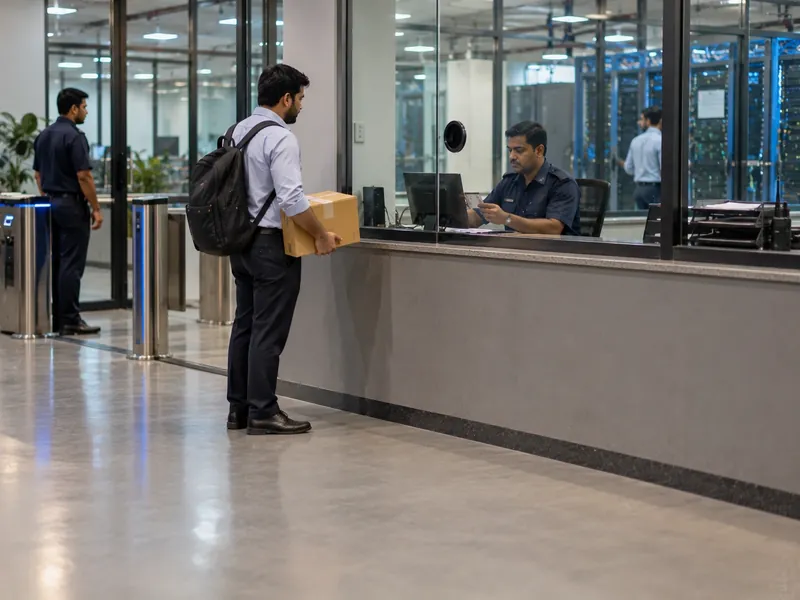
OEM Engineers Arriving Unannounced
A technician turns up to replace a failed part, and the desk phones around to find out whether anyone actually called him in.
Facility manager · NOC
Streamline Visitor, Engineer and Vendor Management across Data Centres with VizPass. Simplify Digital Check-ins, Pre-Approved Visits, WhatsApp-Based Host Approvals, QR Visitor Passes, Blocked Visitor Refusals and Emergency Evacuations while Maintaining Secure, Searchable Entry and Exit Records for Every Audit.
Companies already running their gates on VizPass










Data Centres face unique challenges in managing Visitors, Client Engineers, OEM Technicians, Vendors and Auditors, Emergency Evacuations while Maintaining Strict Security, Accountability and Audit Trails.
The same four steps for a client engineer, an OEM technician, a vendor or an auditor — each on the VizPass mobile app.
The security desk finds the pre-registered visit or starts a walk-in: who they are, whom they are meeting and why.
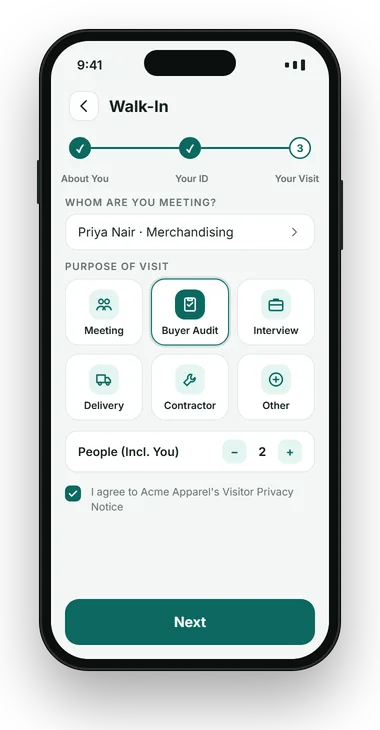
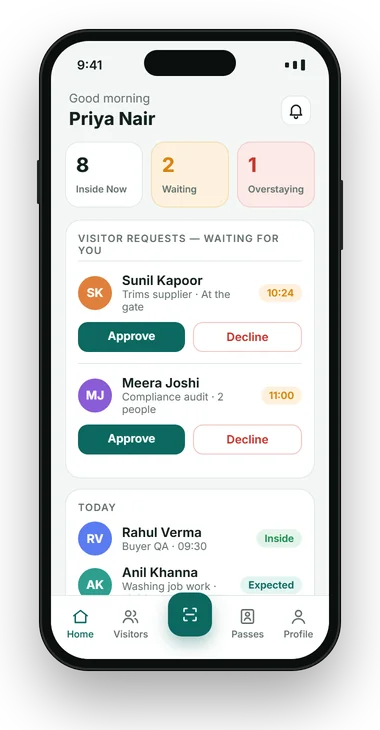
The visit waits until the host approves in the app, on WhatsApp or from a link — or the desk approves it.
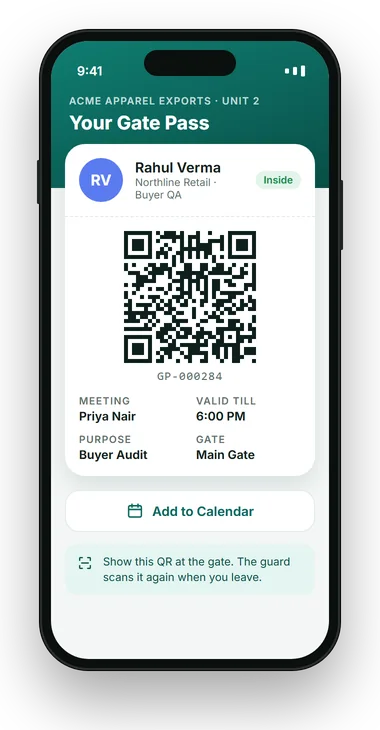
A pass with the visitor's name, host, valid-till time, pass number and QR code, printed or on the phone.
The guard sees allow or deny with the reason — an expired pass is refused — and the exit scan closes the visit.
VizPass Visitor Management for Data Centres turns every entry into a traceable, approved event: data centre visitor management with photo and ID at the security desk, host approval before entry, a pass number on every visit, material gate passes for equipment in and out, a watchlist that refuses blocked people at every screen, and a full history for any person or visit. It runs on a tablet or phone at the desk, with no hardware to buy.
Data centres house critical servers and client data, so an unmanaged visit can threaten uptime, breach a client contract and expose costly equipment. Yet most of the people walking in are not staff: client engineers on a change window, OEM technicians swapping a failed part, cabling and cooling vendors, and auditors asking to see last quarter's access records.
Visitor management for data centres is shaped by three things an office sees less of. Every visit has to be tied to a reason and an approver. Equipment moves in and out with the people, and a missing drive or server is an incident, not an inventory query. And clients and auditors expect a record that answers who was inside, when, and on whose authority — for any day they choose.
Secure facility management at a data centre therefore starts at the security desk, with a record that holds up to an audit long before anyone reaches the floor.
None of these are breaches on day one. They are gaps at the security desk that turn into audit findings, client escalations and missing equipment later.
A technician turns up to replace a failed part, and the desk phones around to find out whether anyone actually called him in.
Facility manager · NOC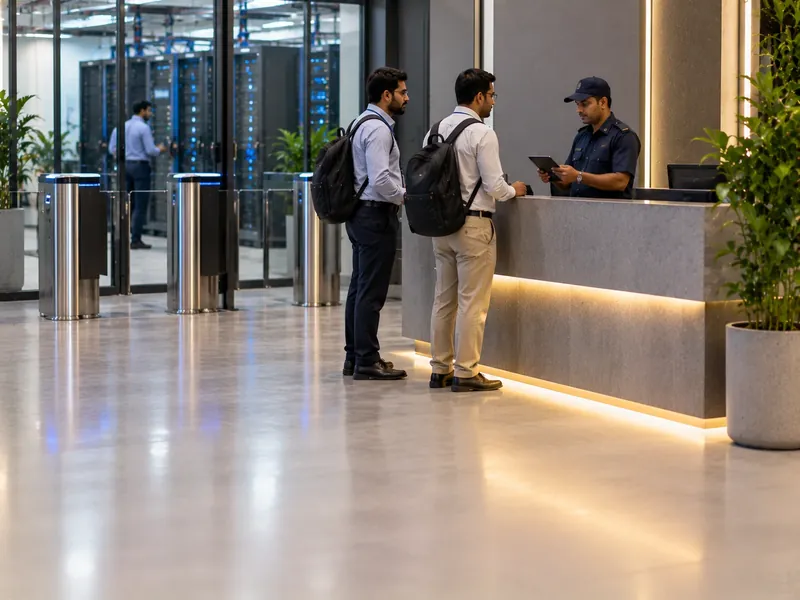
A client sends two engineers for a midnight change, and the desk has an email thread instead of an approved visit to check them against.
Client services · Security
Crates of servers arrive at the dock, and the delivery challan ends up in a drawer nobody can match to what went onto the floor.
Stores · Facility manager
An auditor wants every visit for a quarter, with who approved each one, and the answer is a register and a stack of email approvals.
Compliance · DC manager
After an outage, the first question is which visitors were inside between two and four, and the sign-in book cannot say who had left.
Security head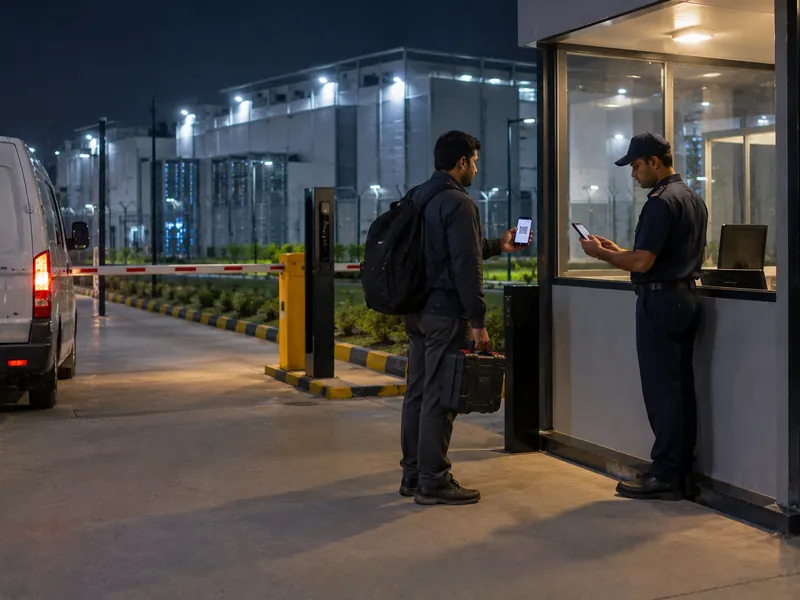
An emergency callout at 3 am arrives at a gate with one guard, who has to decide alone whether this person is expected.
NOC · Night security
A vendor's work ended last Friday, but the printed pass still looks valid to a guard who does not check the date.
Security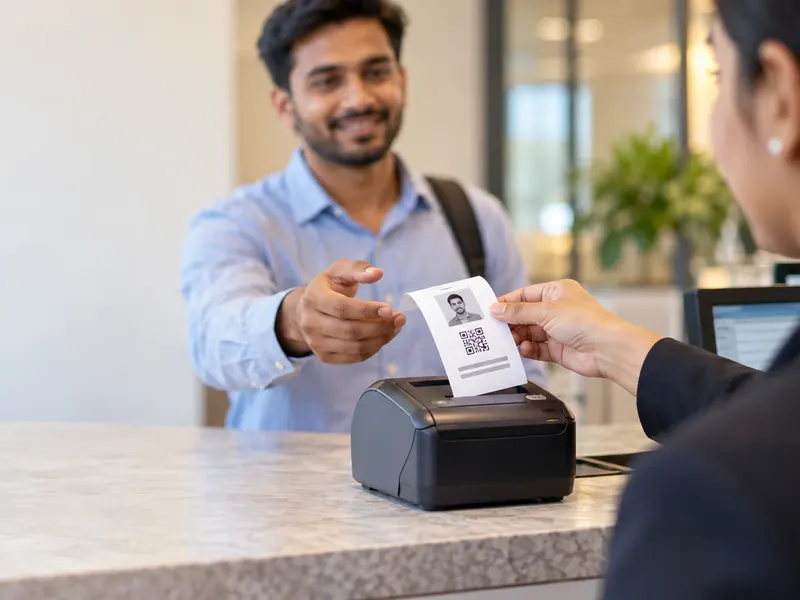
A client disputes an entry, and without a number on each visit the desk cannot say which of three similar entries is the one in question.
ComplianceVizPass is visitor approval software and a gate register in one. Every visit gets its own pass number, carries a photo, ID, host, purpose and time in and out, and stays searchable — so "who entered between two and four on the 14th, and who approved them" is a filter, not a reconstruction.
At a data centre security desk it covers:
Not every plan includes every item: WhatsApp approval and roll call start on the Basic plan, and material passes are on Gate Control. VizPass does not grant rack or zone access.
Gates like yours
“VizPass has made our front desk operations much more organised. Visitor check-ins, courier entries and gate approvals are now handled digitally, which saves time and improves accountability.”
Gagan Mathur
 OM Sweets
“VizPass gives our operations team better control over daily gate activity. Material movement, employee exits and reports are now easier to track, approve and review.”
Sandeep Garg
Karan Latex Ltd
“VizPass made our front desk faster and more organised. Visitor check-ins, courier entries and approvals are now handled without paper registers.”
Harman S
Admin Head, Ferozepur College of Engineering
“The platform feels simple for reception staff and professional for guests. Pre-registration and instant host alerts have improved our daily visitor flow.”
Rekha Y
Operation Head, Orchid Petal Ltd
“QR check-ins and OTP verification made guest entry smooth and contactless. Our teams receive notifications on time, without follow-up calls.”
Nitish T
Operation Head, HRIT University
“We have much better control at the gate now. Our security team can verify visitors, track movement and maintain accurate digital records.”
Gaurav S
Facility Manager, MMMIPCollege of Pharmacy
“VizPass gives us clear reports for visitors, couriers and gate activity. It saves admin time and helps management review data quickly.”
Harish G
Plant Head, HPL Ltd
“VizPass has made our front desk operations much more organised. Visitor check-ins, courier entries and gate approvals are now handled digitally, which saves time and improves accountability.”
Gagan Mathur
OM Sweets
“VizPass gives our operations team better control over daily gate activity. Material movement, employee exits and reports are now easier to track, approve and review.”
Sandeep Garg
Karan Latex Ltd
“VizPass made our front desk faster and more organised. Visitor check-ins, courier entries and approvals are now handled without paper registers.”
Harman S
Admin Head, Ferozepur College of Engineering
“The platform feels simple for reception staff and professional for guests. Pre-registration and instant host alerts have improved our daily visitor flow.”
Rekha Y
Operation Head, Orchid Petal Ltd
“QR check-ins and OTP verification made guest entry smooth and contactless. Our teams receive notifications on time, without follow-up calls.”
Nitish T
Operation Head, HRIT University
“We have much better control at the gate now. Our security team can verify visitors, track movement and maintain accurate digital records.”
Gaurav S
Facility Manager, MMMIPCollege of Pharmacy
“VizPass gives us clear reports for visitors, couriers and gate activity. It saves admin time and helps management review data quickly.”
Harish G
Plant Head, HPL Ltd
See How VizPass Handles These Challenges
An on-site demo across Delhi NCR, or a live video demo pointed at your security desk anywhere in India.
Six situations every data centre security desk meets, and what happens with VizPass in place.
With host approval on, walk-ins and self-registered visitors wait for the host, and pre-booked visits can be approved again on arrival. The guard sees allow or deny before anyone reaches the floor.
No surprise arrivalsEach visit has its own pass number on the badge, the gate screen and the register, so a disputed entry is never confused with a similar one. Your change-ticket number can sit in the purpose note.
No ambiguity in an auditInward passes record deliveries with the PO, challan or invoice number; outward passes need approval and list the items. Returnable items get a return date and overdue alerts every three days. Material passes are separate from the visitor's pass.
Every component on recordEvery pass carries an end time. Once it lapses, the pass is refused at entry and the host books a new visit, whatever the printed badge looks like.
Expired passes refusedA Security Head or admin blocks a person with a reason, and the gate refuses them on every screen, even on a visit already booked. Matching is by mobile number; refused attempts are not logged, so ask guards to report them.
Blocked visitor refusalsSearch by name, phone, company, pass number or date range, and export as CSV. The activity log shows who approved each entry and any later change.
Answers while the auditor waitsThe same visitor record, set up for how each kind of facility runs its security desk.
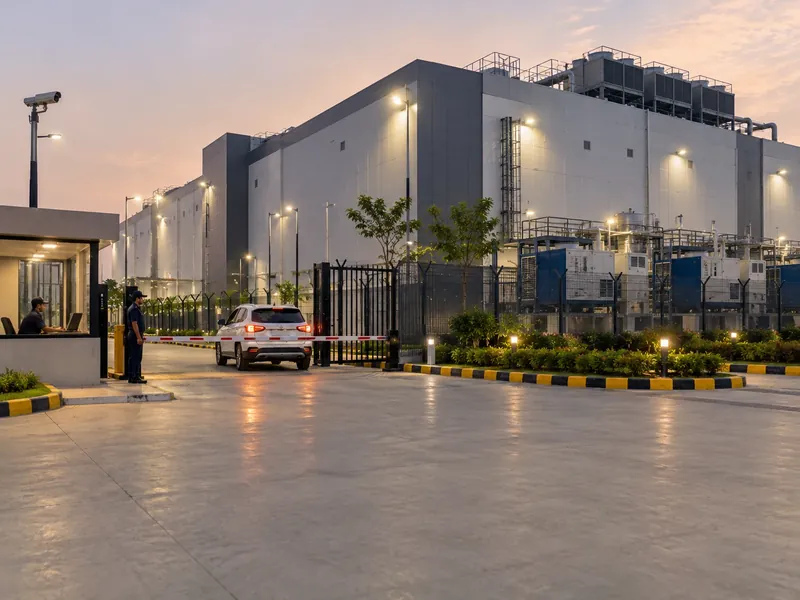
A perimeter gate, a building security desk and a loading dock, each with its own log on one account, and vendors and contractors around the clock.
Gate managementMany client companies sending their own engineers, each visit approved and numbered so a client's question about its cage has a clear answer.
Visitor passes
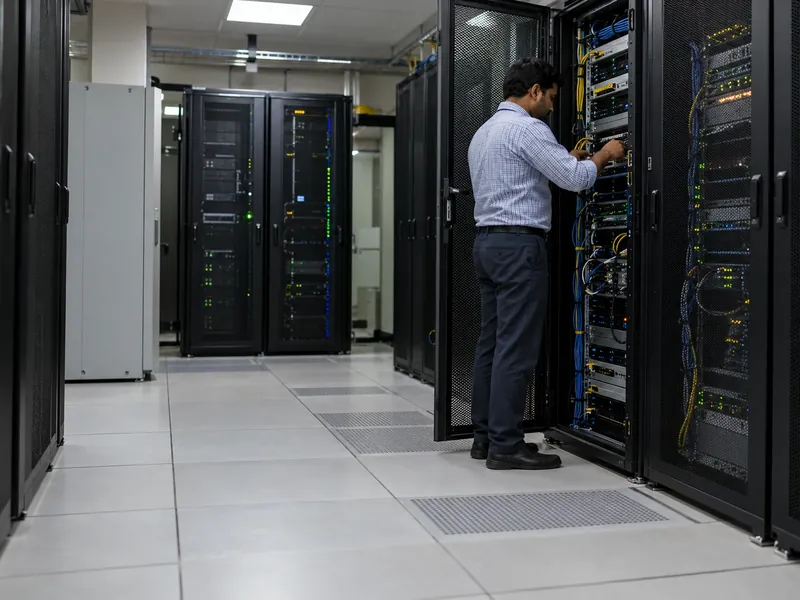
A company's own server room inside an office or plant, where OEM engineers and AMC vendors need the same approval and record as at a large facility.
Digital check-inSmall sites with a guard or none, where technicians visit on a schedule and the visit still needs an approval and an exit record.
One policy across sites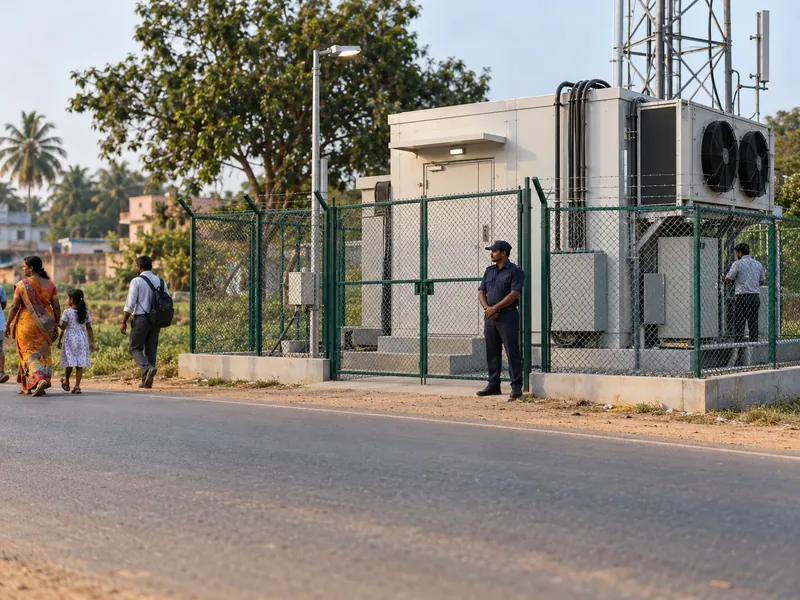
Four situations every data centre meets, step by step.
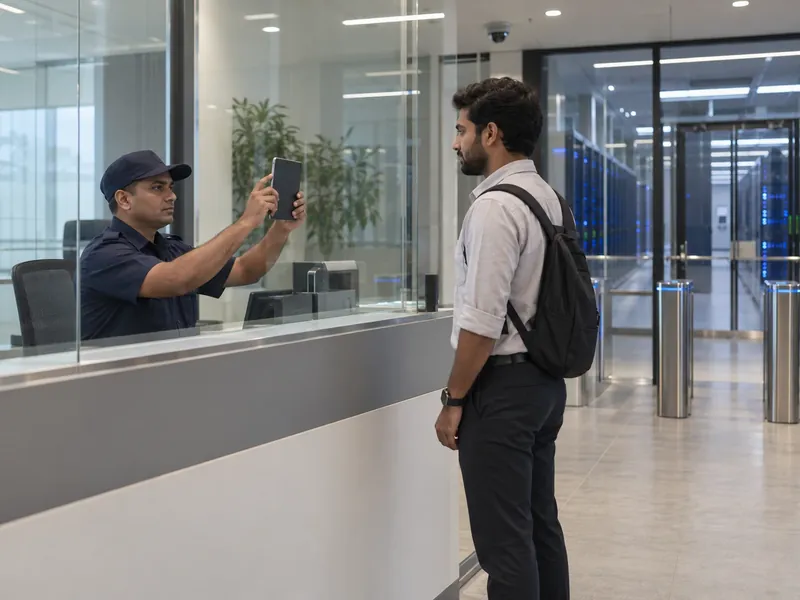
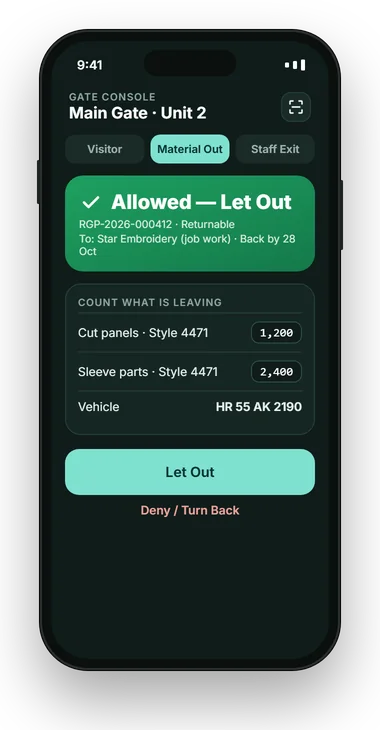
A client engineer booked for a change window.
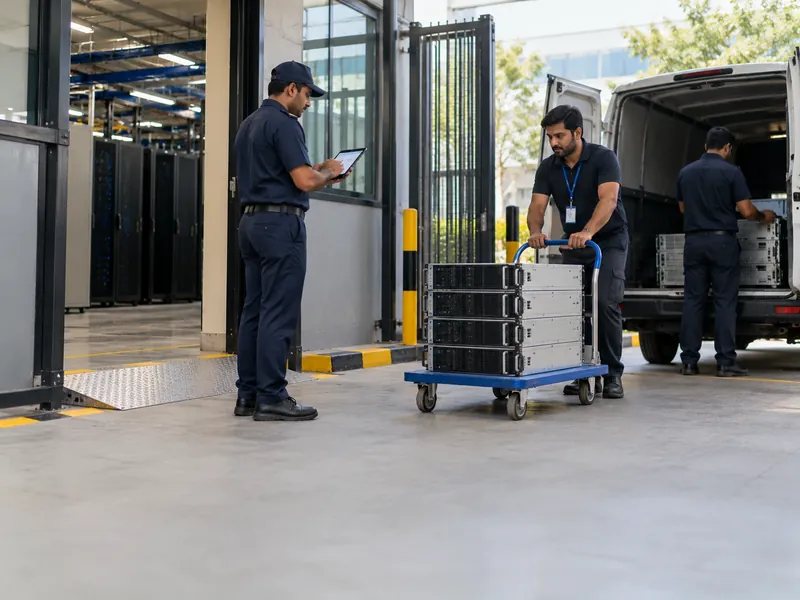
An outward material pass — on the Gate Control plan.

A technician who says the NOC called him in.
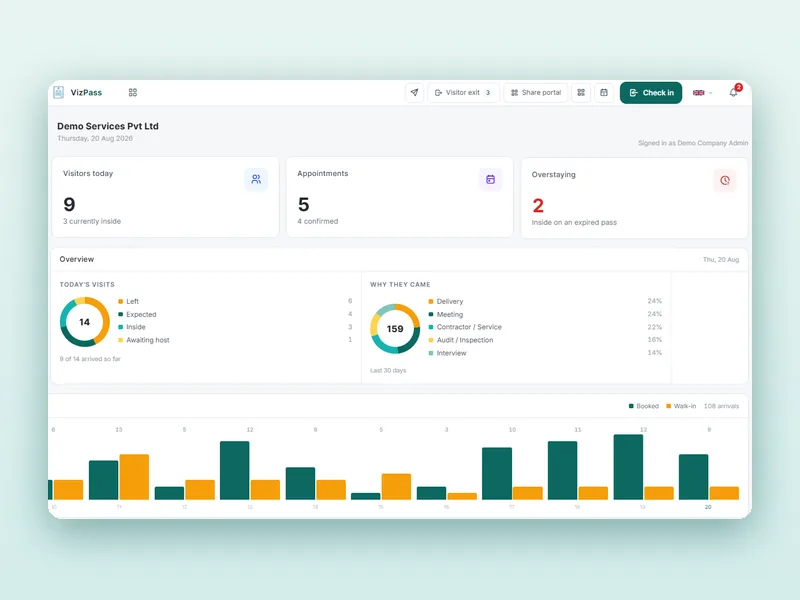
Tracing who was inside during a two-hour window.
We do not quote percentages we have not measured. During a trial, measure four things: visits checked in without approval, passes with no exit scan, returnable items past their date, and how long an audit request takes to answer.
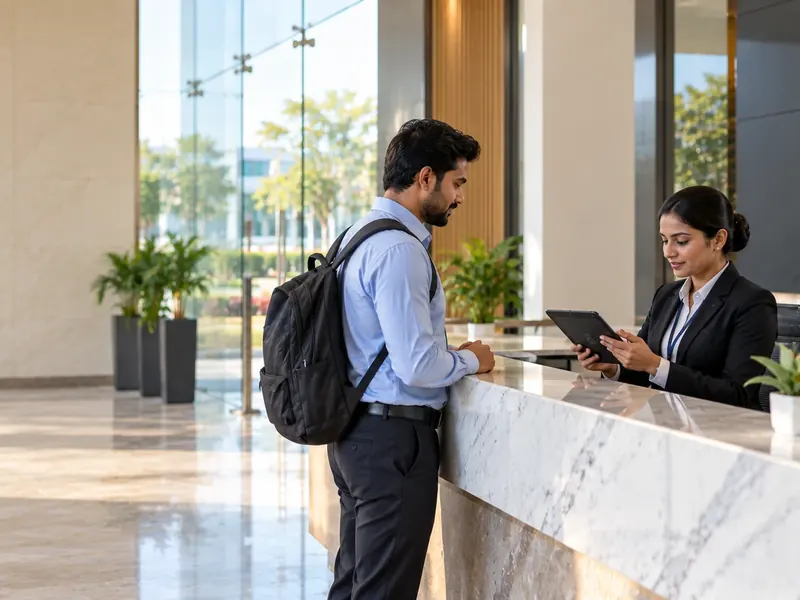
Every visit approved before entry and every pass with an end time, so the guard is never the one deciding. For the security head.
Any person, visit or date range, with approvals in the activity log and a CSV export. For compliance and client audits.
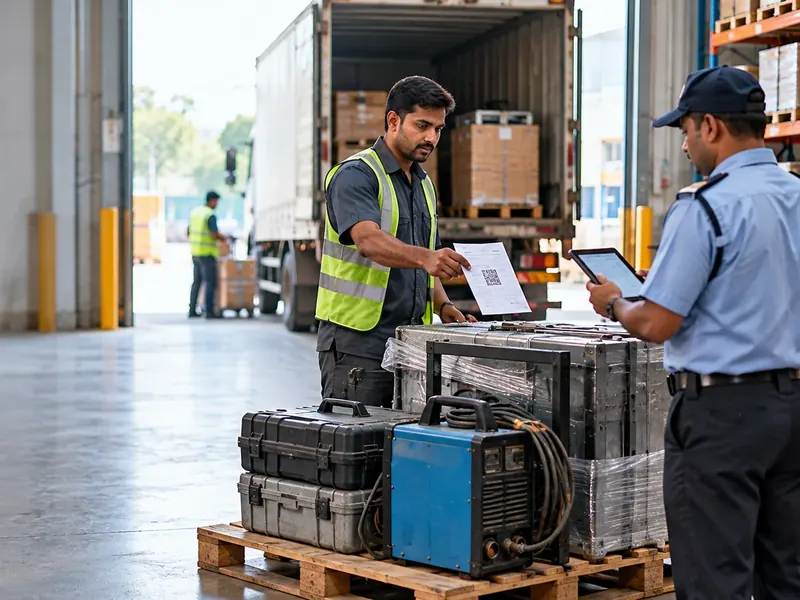
Inward and outward passes with item lists, approvals and overdue alerts for returnables. For stores and the facility manager.

Blocked people refused, expired passes turned back and approvals still required at 3 am. For night security and the NOC.
| What matters | Paper register and email approvals | AVizPass |
|---|---|---|
| An OEM engineer arrives unannounced | The desk phones around | The visit waits until the host or desk approves |
| Finding one specific visit | Three similar handwritten lines | Its own pass number, searchable |
| A server leaving for repair | A note in a logbook | An approved outward pass with items and a return date |
| A person flagged as a risk | Gets in if the guard has not heard | Refused on every screen, matched by mobile number |
| An auditor asks for a quarter | A register and an inbox | Filter by date and export, approvals in the activity log |
| Cost | Register books and desk time | From ₹4,999/month with WhatsApp and roll call; ₹14,999 with material passes |
A register can hold up at a small server room with a visitor a week. Once client engineers, OEM technicians and equipment move through the desk every day, the gap between the register and what happened is where audit findings and missing components start.
Whichever system you shortlist, check five things in the demo: does every visit get its own searchable number, can a visit wait for approval before entry, are expired passes refused at the gate, can equipment move on approved passes with return dates, and does the vendor publish its prices. Where VizPass stands:
Visitors who register on the gate app or through the self-registration link see your privacy notice and agree to it before their photo and ID are taken, and that agreement is recorded on the pass. That gives you a record of notice and consent; how long you keep visitor data and your wider duties under the DPDP Rules 2025 stay with you and your legal adviser, using guidance such as MeitY's.
Your sites, desks, approvers and equipment flow.
On-site in Delhi NCR, or on video.
Start with the main security desk.
Approval rule, hosts and watchlist set up.
Loading dock and more sites, one account.
Host approval is one company-wide setting. Turn it on before go-live, or walk-ins are checked in without anyone signing off.
Decide who approves a 3 am callout when the usual host is asleep — the desk can approve, but only if it knows it may.
Enter every block with a reason, so it holds at every screen and every shift rather than with one guard.
Set each vendor's pass to end when the job ends, or old badges will keep looking valid.
Published pricing
One Flat Price a Month — No Per-User Charges
Prices exclude GST. Start with a free 7-day trial on the Basic plan, no card needed. See what each plan includes →
Host approval is set company-wide: walk-ins and self-registered visitors can wait for the host to approve, and pre-booked visits can be approved again on arrival. The host gets the request in the VizPass bell, by email, as an app push and on WhatsApp where configured, and the desk can also approve a waiting visit. The guard sees allow or deny, with the reason, before anyone reaches the floor.
On the Gate Control plan, equipment moves on material gate passes, separate from the visitor's pass. Deliveries go on an inward pass with the PO, challan or invoice number; hardware going out needs an approved outward pass listing the items. Returnable items get a return date and overdue alerts every three days. A material pass is not linked to a visit automatically, so add the visitor's name if you want them connected.
Yes. Returning visitors are recognised by mobile number, so their visits build up under one record. Searching a name or phone shows every past visit — dates, times, pass numbers, host and purpose — and the activity log shows who approved each entry. You can filter the register by date range and export it as CSV to review a pattern across months.
Every entry has a pass number, visitor details, check-in and check-out times and the approval recorded in the activity log, and material passes record equipment going in and out. Reports export as CSV, filtered by date, host, department, purpose or site. VizPass gives you that dated record; it does not certify compliance with any standard, and how long you keep the data stays your decision.
A Security Head or Company Admin blocks the person with a reason, and the gate then refuses them on every screen and app, even on a visit already booked. Matching is by mobile number only, and a whole contractor company cannot be blocked at once. Refused attempts are not logged or alerted, so VizPass will not tell you that a blocked person tried; the guard sees the refusal. Each block is in the activity log.
Pull the register for the day: each visit's check-in and check-out times show who was inside during the hour you care about, with the pass number, visitor, host, purpose and site on each row. Open a visit to see who approved it and any later change. Material passes are listed separately with their own numbers and gate times, so equipment movements can be checked against the same window.
No. VizPass controls who gets a pass and records every entry and exit at the desk or gate; it does not grant rack, cage or zone access, and it does not control turnstiles, mantraps or doors. If your change process has a ticket number, the desk can type it into the visit's purpose note so the visit and the ticket can be matched later.
Every pass carries an end time. Once it lapses, the pass is refused at entry and the guard sees deny with the reason, so the host has to book a new visit for the vendor to come back. Anyone still inside after their pass expires is reported to the host and admins as an overstay, on the Basic plan and above.
Yes. The host can approve from the app, a link or WhatsApp wherever they are, and the desk can approve a waiting visit itself. Decide in advance who approves a night callout when the usual host is unavailable, so the guard is never the one deciding whether an unexpected visitor goes in.
When an evacuation is raised, VizPass alerts every visitor inside, their hosts and the security team, and runs a mark-safe roll call of everyone checked in at the desk — engineers, vendors and auditors. Because entries and exits are timestamped as they happen, the list reflects who is actually inside. It covers visitors, not your own staff, and is on the Basic plan and above.
Plans are a flat monthly price per company with no per-user charges, GST extra: ₹1,499 Single Gate (a plain register for one gate), ₹4,999 Basic, ₹9,999 Front Desk and ₹14,999 Gate Control, with a 7-day free trial on the Basic plan. WhatsApp approval and roll call start on Basic; material passes are on Gate Control. No hardware purchase is needed.
Use the form at the end of this page, the demo button at the top, or WhatsApp. Tell us your type of facility and what you want to solve first, and we call within one working day. The demo runs on-site across Delhi NCR, or on a video call pointed at your live security desk anywhere in India.
Further reading
Discuss Your Data Centre's Visitor and Security Desk Requirements
Tell us about your facility and what you want to solve first. We call within one working day and show the workflows that matter to you — on-site across Delhi NCR, or on a video call at your security desk anywhere in India.
Free for 7 days. Add a gate, invite your hosts, and check your first visitor in this afternoon.